Commercial Project Catalogs

Request Building Material Catalogs Matched to Your Project Scope

Choose a complete project pack or a specific product category. Tell us the application, target standard and next decision so the references you receive are relevant to your rooms, units and procurement stage.

Request Building Material Catalogs Matched to Your Project Scope
Project Packsmulti-category references by application
Category Packsfocused references for one product scope
Custom Itemsdrawing-led cabinets, furniture and millwork
Next Stepcatalog, sample, budget or formal quotation
Catalog Packs

Request product references matched to your material scope.

Select one category or combine a project pack; application and target standard help remove irrelevant ranges before review.

Complete Project Material Package
Whole Project10+ categories

Complete Project Material Package

A coordinated starting point for hotel, apartment, townhouse, resort, office, medical and mixed-use material procurement.

Request Catalog
Custom Cabinets and Millwork
Interior SystemsKitchens · Wardrobes · Vanities

Custom Cabinets and Millwork

References for made-to-drawing cabinets, wall panels, reception counters and built-in storage.

Request Catalog
Doors and Windows
Building SystemsDoors · Windows · Glass

Doors and Windows

Interior and entrance doors, aluminum windows, opening systems, glass and related hardware references.

Request Catalog
Tiles, Flooring and Stone
Building FinishesFloors · Walls · Surfaces

Tiles, Flooring and Stone

Hard-finish references organized around application, surface, size, durability and design direction.

Request Catalog
Sanitary and Bathroom Products
BathroomFixtures · Faucets · Accessories

Sanitary and Bathroom Products

Toilets, basins, faucets, showers, mirrors, vanities and coordinated bathroom hardware.

Request Catalog
Project Furniture
FF&EGuestroom · Apartment · Office

Project Furniture

Loose and fixed furniture references for repeated rooms, units, workplaces and public areas.

Request Catalog
Decorative and Functional Lighting
FF&ERoom · Public Area · Exterior

Decorative and Functional Lighting

Lighting references organized by fixture type, application, electrical standard and visual direction.

Request Catalog
Soft Furnishing and Textiles
Interior FinishCurtains · Bedding · Fabrics

Soft Furnishing and Textiles

Curtains, sheers, blackout, bedding, cushions and decorative textile references by room standard.

Request Catalog
Special Product Sourcing
ProcurementReference-led sourcing

Special Product Sourcing

Use drawings, specifications, models or images when the required product sits outside the standard catalog list.

Request Catalog
Project-Based Catalogs

Use room and application context when several categories must coordinate.

Hotel rooms, apartment units, villas, offices and medical spaces each require different product relationships and performance priorities.

Hotel and Resort Catalog Pack
Hospitality

Hotel and Resort Catalog Pack

Guestroom, suite, bathroom, corridor, lobby, restaurant and public-area material references.

Learn More
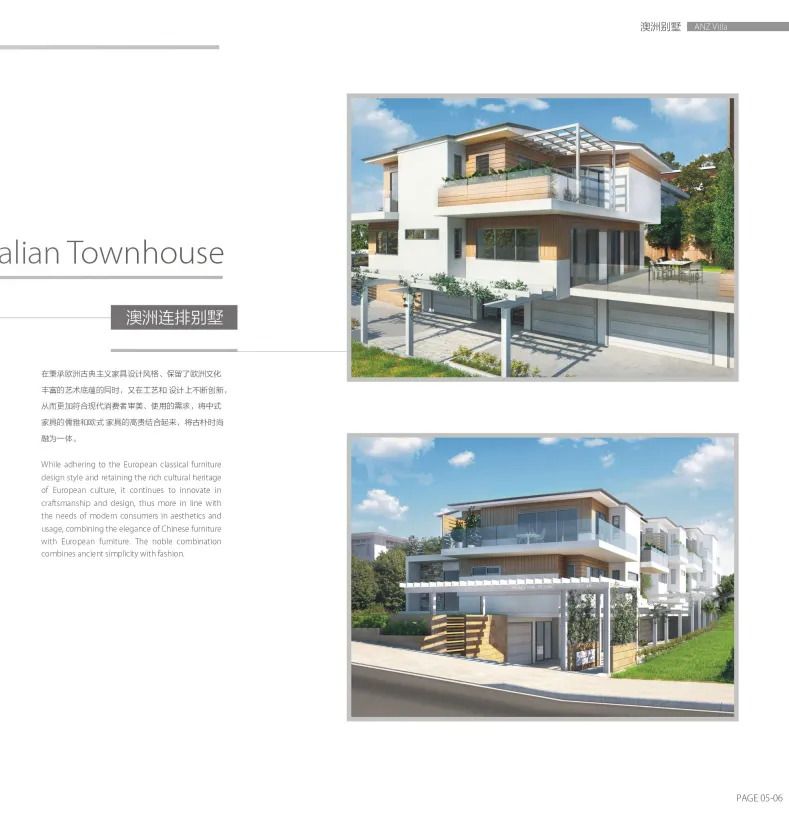
Apartment and Townhouse Catalog Pack
Residential

Apartment and Townhouse Catalog Pack

Kitchen, wardrobe, door, flooring, bathroom, lighting and furniture references by unit or house type.

Learn More
Office and Commercial Catalog Pack
Commercial

Office and Commercial Catalog Pack

Reception, workplace, meeting, retail and public-area finishes, millwork, furniture and lighting.

Learn More
Request Checklist

Include the context that turns a large catalog into a useful shortlist.

Project type, category scope, target standard, visual direction, quantity and next decision help the team select references efficiently.

01

Project application and location

Hotel, apartment, townhouse, resort, office, medical or commercial project, including destination country.

Context
02

Required categories and areas

List products, rooms, unit types or areas you want the catalog references to cover.

Scope
03

Target standard and design direction

Share budget level, reference brands, finish direction, performance needs or inspiration images.

Standard
04

Decision required after catalog review

State whether the next step is sample selection, budget comparison, formal quote or supplier discussion.

Next step
Shortlist visually, then confirm the technical and commercial basis.
From Reference to Standard

Shortlist visually, then confirm the technical and commercial basis.

Final selection still requires application, dimensions, material, finish, performance, quantity, sample approval and delivery requirements.

  • Mark the relevant product families, styles or finish directions.
  • Connect selections to rooms, units, areas and quantities.
  • Identify custom sizes, performance standards and approval requirements.
  • Request samples, alternatives or quotation against the selected scope.
Catalog Limits

Know which decisions a catalog can and cannot close.

A catalog supports range selection; drawings, schedules, samples and written specifications are still needed for quotation and production.

01

Explore range

See product families, applications, design directions and possible category scope.

02

Build shortlist

Choose references that fit the target look, standard and expected use area.

03

Confirm sample path

Identify which finishes, materials, hardware or models require physical approval.

04

Prepare quotation

Add drawings, quantities, specifications, destination and required delivery date.

Next Step

Continue from catalog references into product specifications or project packages.

Open a category for technical detail, a solution for application planning or a case for supplied-scope evidence.

Product Detail Pages

Review product ranges, fast quote checklists and the decisions that affect standard, price and lead time.

Learn More
Project Solutions
Project Solutions

Connect selected categories with room, unit, area and phase requirements for your project type.

Learn More
Project Cases
Project Cases

Compare supplied categories, customization, quality control and delivery evidence.

Learn More
Catalog Request

Tell us which project and product decisions the catalog must support.

Send categories, application, target standard and deadline; attach drawings or BOQ when references need to connect directly with quotation.

For early-stage projectsSend floor plans and target standards to build a preliminary material supply plan.
For procurement-ready projectsSend BOQ, finish schedule and delivery timeline for a more accurate package quotation.
PDF, Word, Excel, JPG or PNG, up to 10 MB.
Catalog FAQ

Questions about catalog packs, samples and pricing.

These answers explain how references are selected and what additional information is needed before formal quotation.

Can I request catalogs for several categories?

Yes. List the project type and required categories so the references can be grouped into a useful project pack.

Can you send a complete hotel or apartment catalog pack?

Yes. Project packs can combine relevant categories around guestrooms, units, bathrooms, public areas or repeated room standards.

Why are catalogs requested instead of all shown as direct downloads?

Project context helps select current and relevant references while avoiding unrelated ranges that do not fit the application or standard.

Are catalogs enough for an accurate price?

No. Pricing still depends on drawings, quantities, dimensions, materials, finishes, performance, destination and timeline.

Can catalogs include customized products?

Yes. Cabinets, furniture, millwork, doors, stone and other categories can use references as a starting point for made-to-drawing discussion.

Can I request physical samples after catalog review?

Yes. Tell us the shortlisted item, finish or standard so the team can explain the available sample and approval path.

Can OKBuild recommend categories from my drawings?

Yes. Drawings, room schedules and BOQ can be reviewed to identify relevant categories and missing material scope.

What happens after I submit a catalog request?

The team reviews the application, categories and target standard, then recommends references and the next sample, quotation or project discussion step.